New to Newton?
Newton is a regulated Canadian crypto trading platform. Create an account in the app to start setting price alerts.


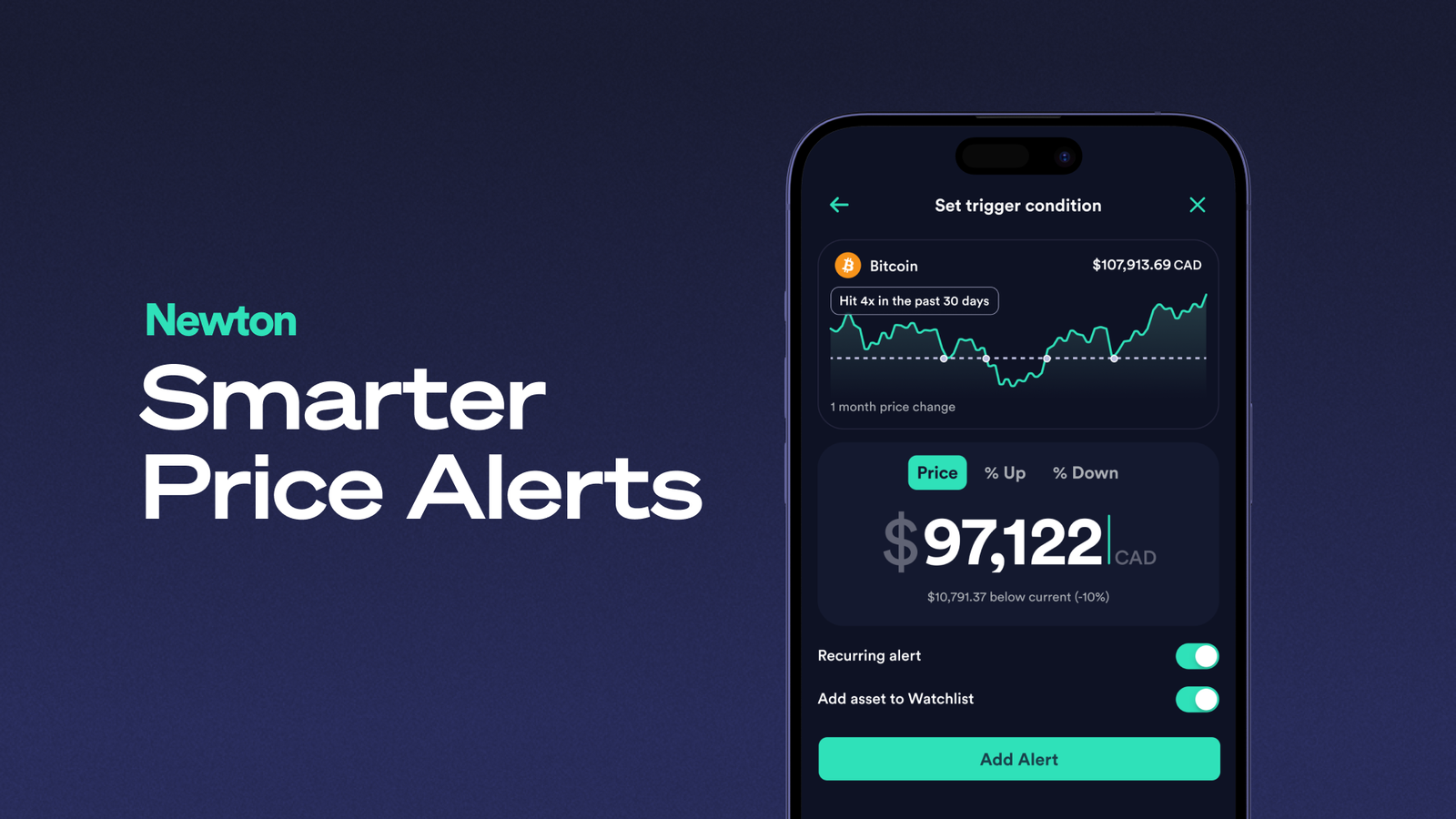
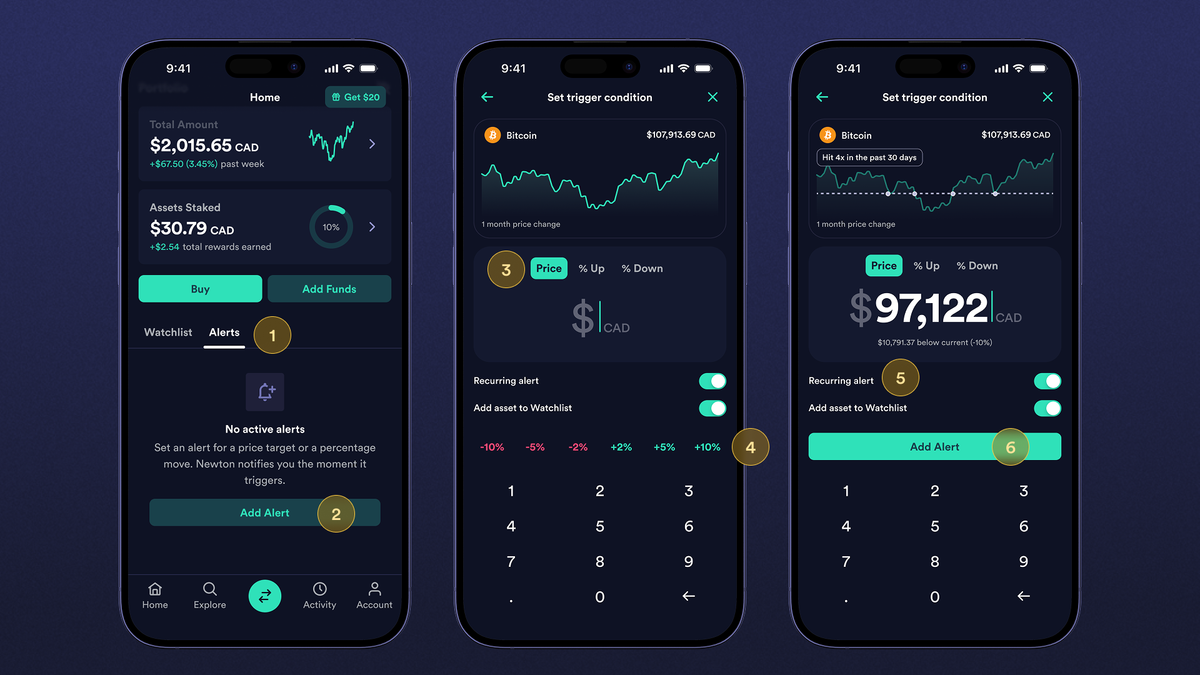
With recurring Price Alerts, you can set a target price or percentage change and choose to be notified each time your alert is triggered, without having to create a new one.
We’ve also added 30-day price context when you set a target, a view of how much the price has moved since an alert triggered, and more ways to create and manage your alerts.
Price Alerts are available in our mobile app.
| Alert Type | Notifies you when the asset... |
|---|---|
| Price | reaches a price you set, in CAD |
| % Up | rises by a set percentage within 24 hours |
| % Down | drops by a set percentage within 24 hours |
| Frequency | After it triggers |
|---|---|
| One-time | Moves out of your active alerts and into the asset's alert history |
| Recurring | Stays active and can notify you again when your target is reached |
Recurring alerts stay active after they trigger and notify you again when your target is reached, without needing to create a new alert each time.
Recurring is on by default when you create an alert. If you only want one notification, turn off Recurring before you save.
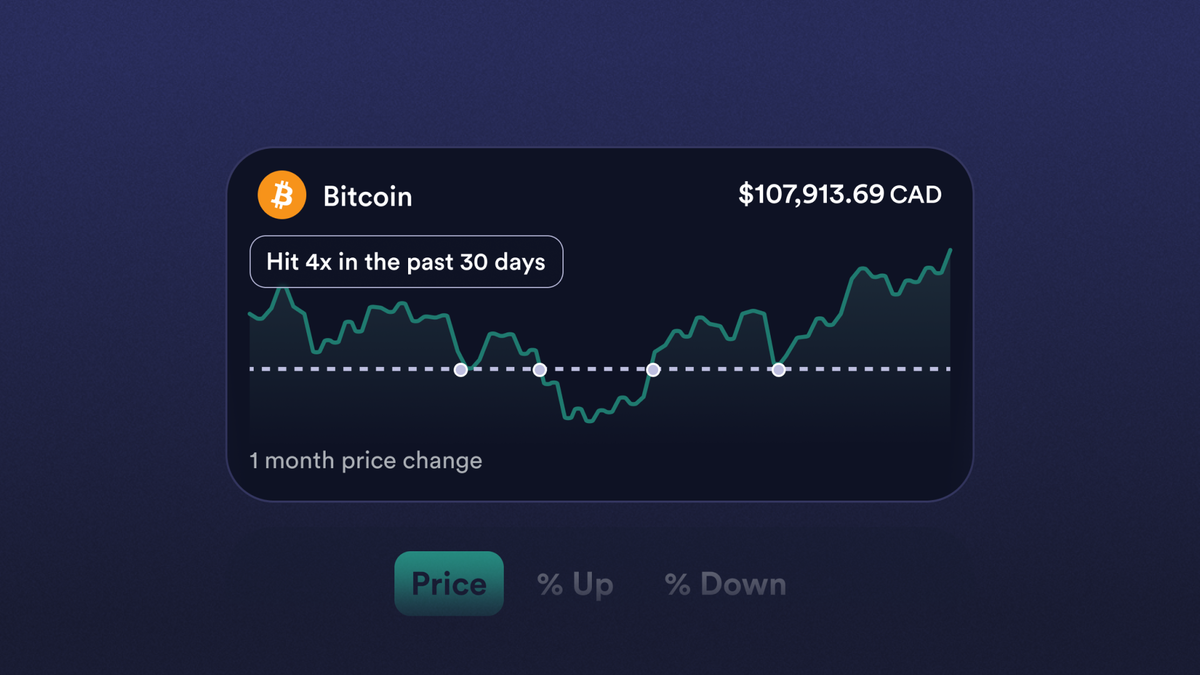
When you set an alert, you'll see the asset’s price over the past 30 days. As you choose a target, you'll also see how many times it was reached during that period, helping you compare it with recent prices.
We don't suggest targets. You choose the asset, the price or % move, and whether the alert is recurring. Past price movement doesn't predict future movement.
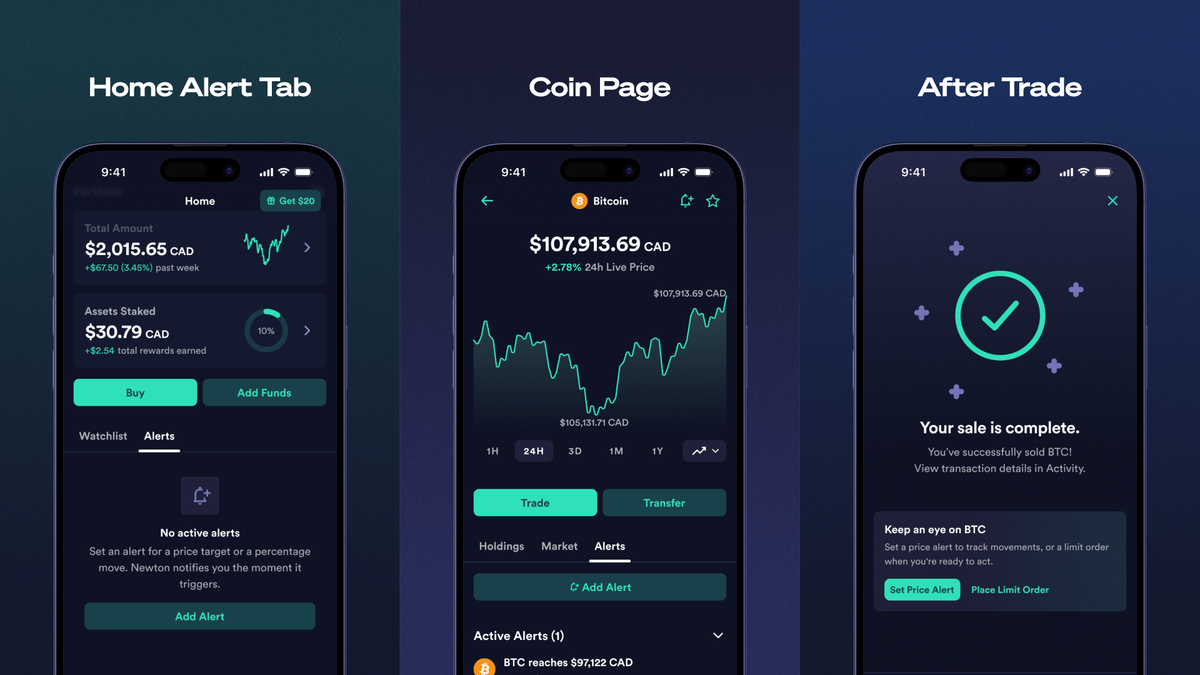
When you start from the Coin Page or after a trade, that asset is already selected.
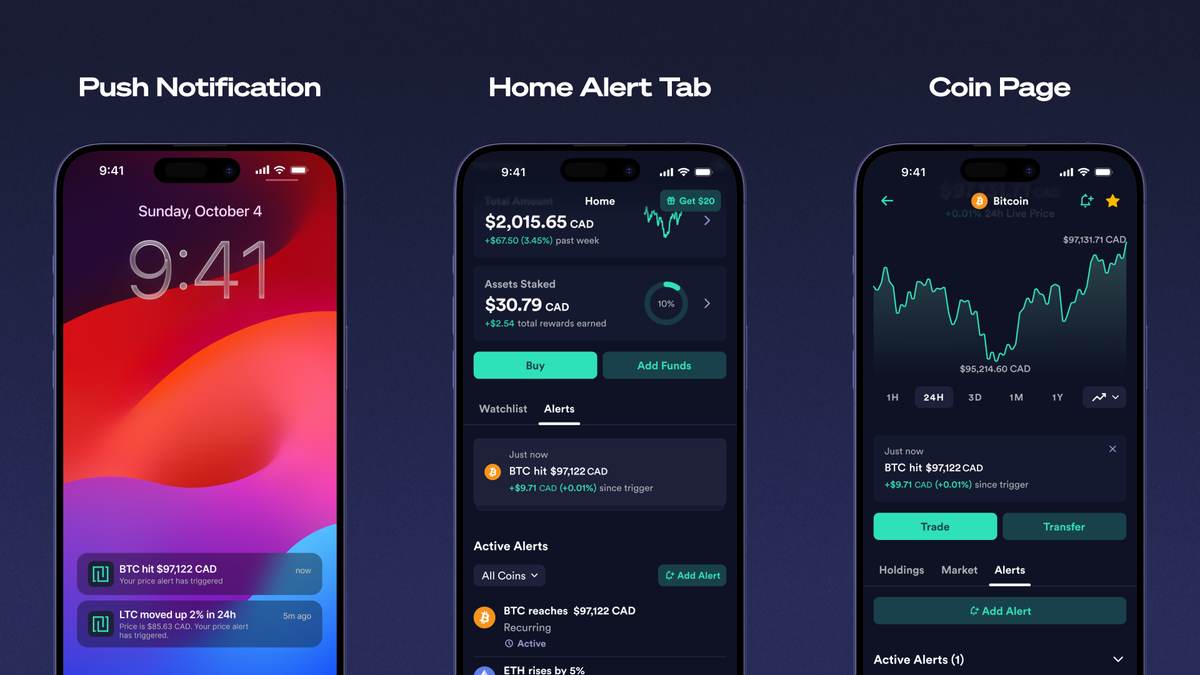
When your target is reached, we’ll send you a push notification. Tap it to open the Coin Page, where you can see the trigger price and how much the price has changed, giving you a quick view of how the market has moved since the alert.
You can also find trigger details in the app:
Open any alert to see its status, frequency, and trigger details. Notification timing can depend on your phone's settings and connection.
Pick an asset, choose a price or % move, and we’ll notify you when it happens.
No. Price alerts are notifications only, and they don't buy or sell crypto for you. If you want to set the maximum price you're willing to pay when buying, or the minimum price you're willing to accept when selling, you can use a limit order on Newton.
Price alerts are based on the spot price, which is the midpoint between Newton's buy and sell price. The price you trade at may differ slightly.
First, make sure Price Alerts is turned on in Account > Push Notifications, and that notifications for Newton are allowed in your phone's settings.
For help editing, deleting, or resetting alerts, see how to create and manage price alerts on Newton.
Newton is a regulated Canadian crypto trading platform. Create an account in the app to start setting price alerts.